Ventilation Filter Markings: Supply, Extract, Airflow & Filter Class

Learn how to read Supply Air, Extract Air, Supply / Extract, AIRFLOW, THIS SIDE UP, F7 and ISO 16890 markings on ventilation filters and install them correctly.

Read the filter label before installation

Ventilation filter markings tell you where the filter belongs, which direction it should face and which filtration class you are installing. Correct installation helps maintain the intended filtration performance, airflow and normal filter service life.

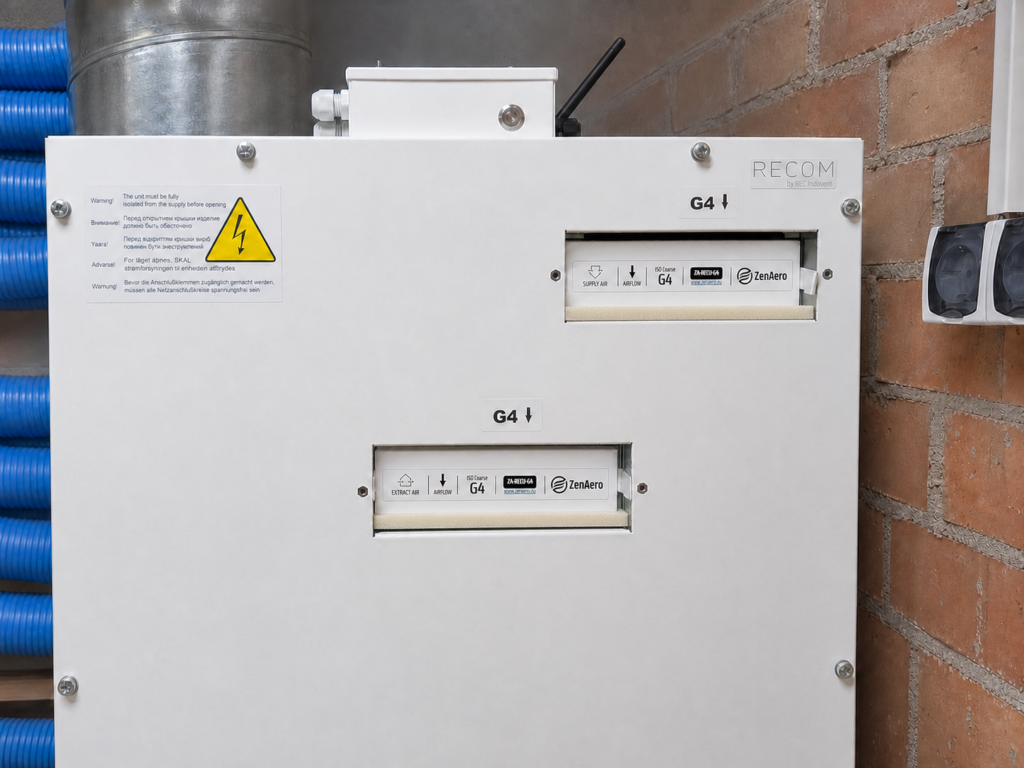
ZenAero filters installed in a heat-recovery ventilation unit

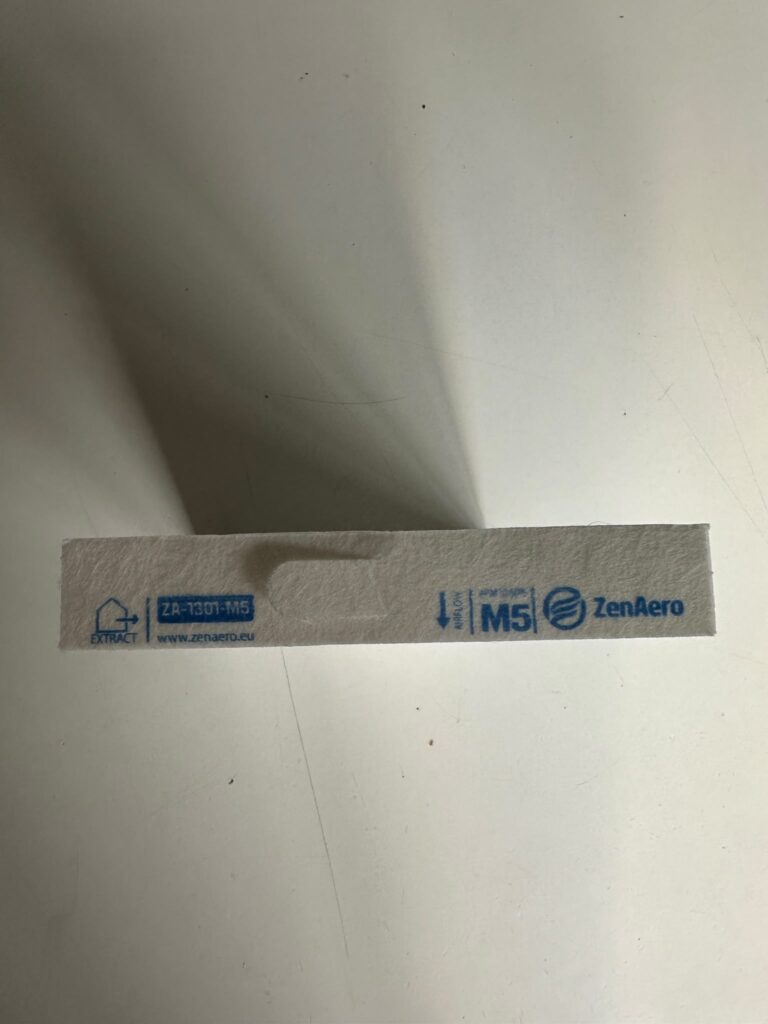
Understanding the markings on your filter

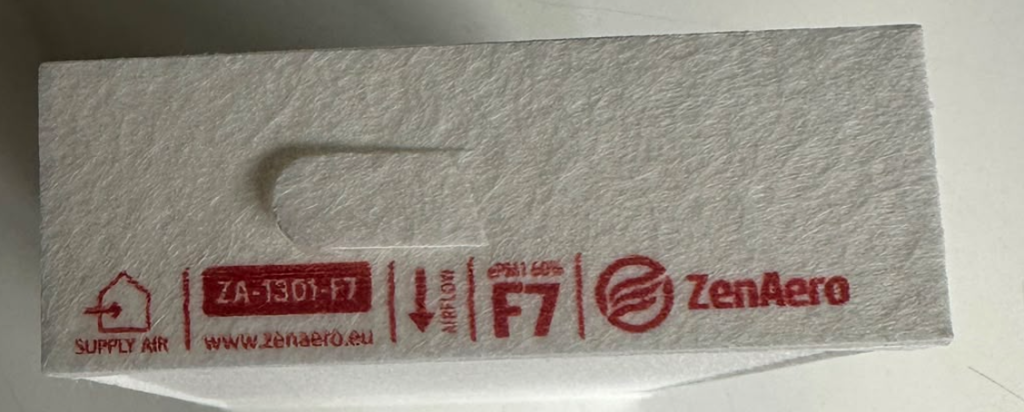
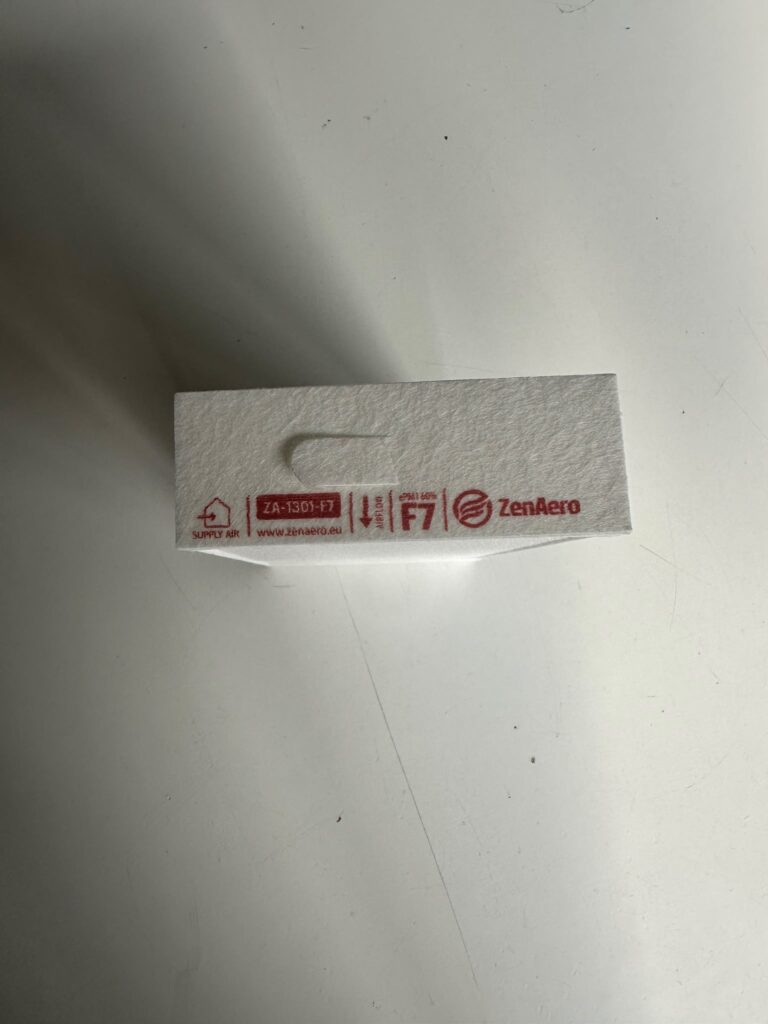
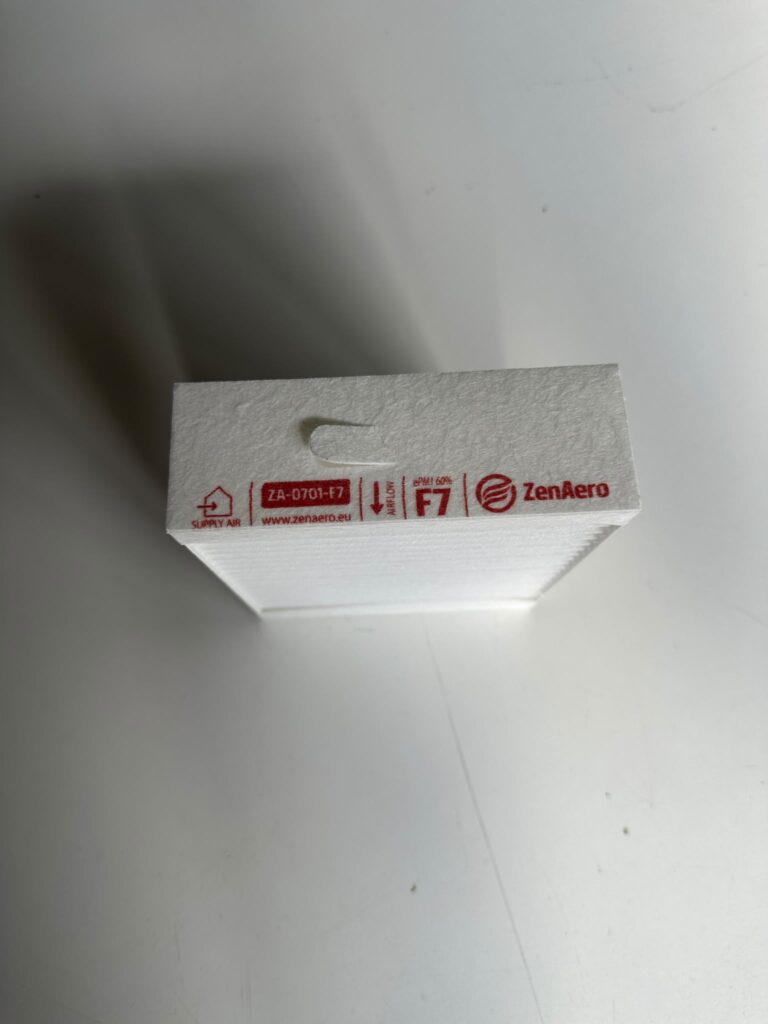
Close-up of a ZenAero F7 supply-air filter label with airflow arrow
A real ZenAero label showing the position, product code, airflow direction and filter class.

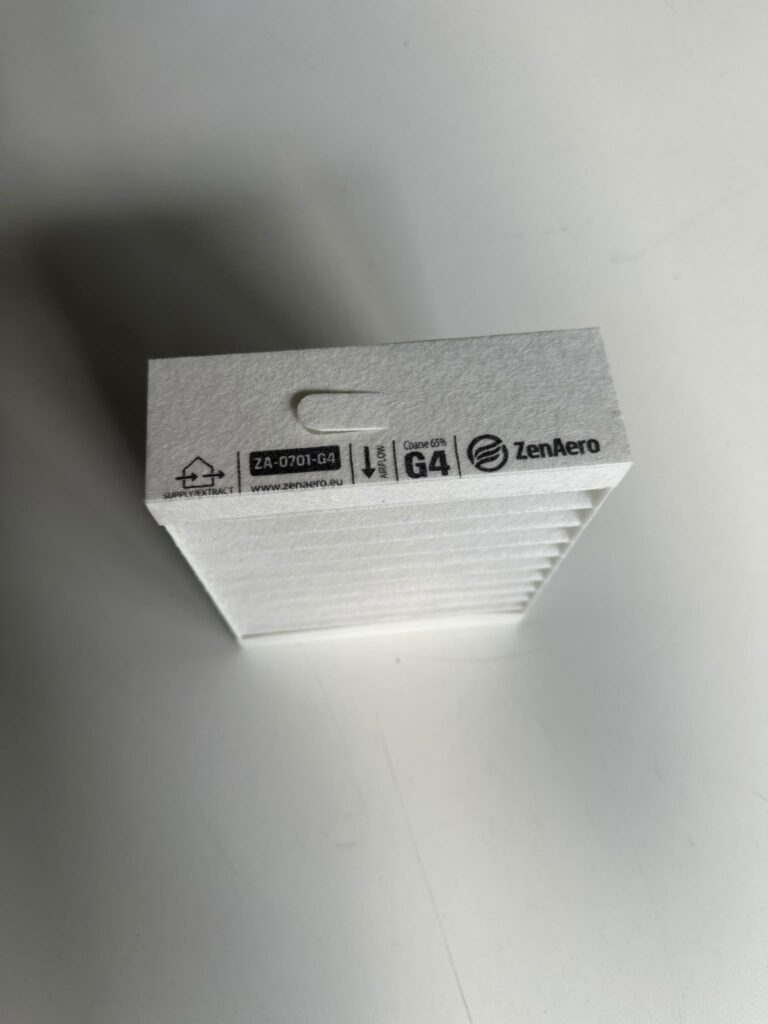
A ZenAero filter may include several different markings. Read all of them together rather than relying on the filter class or appearance alone.

Example product code: ZA-1301-F7. The code identifies the exact filter version and helps you order the same replacement again.

1. PositionSupply Air, Extract Air or Supply / Extract.
2. Product codeIdentifies the exact ZenAero filter version.
3. DirectionFollow AIRFLOW or THIS SIDE UP.
4. Filter classExamples include F7, M5 and G4.
5. ISO classExamples include ePM1 60% and ISO Coarse.

Filter class note: F7, M5 and G4 are legacy EN 779 designations still widely used in the market. Current labels may also show the ISO 16890 classification, for example ePM1 60% or ISO Coarse.

1. Check the installation position

The position marking tells you where the filter belongs in the ventilation unit.

SUPPLY AIR

Install the filter on the fresh outdoor-air / supply side.

EXTRACT AIR

Install the filter on the air-extract side from the building.

SUPPLY / EXTRACT

The filter can be used in either position where the unit configuration allows it.

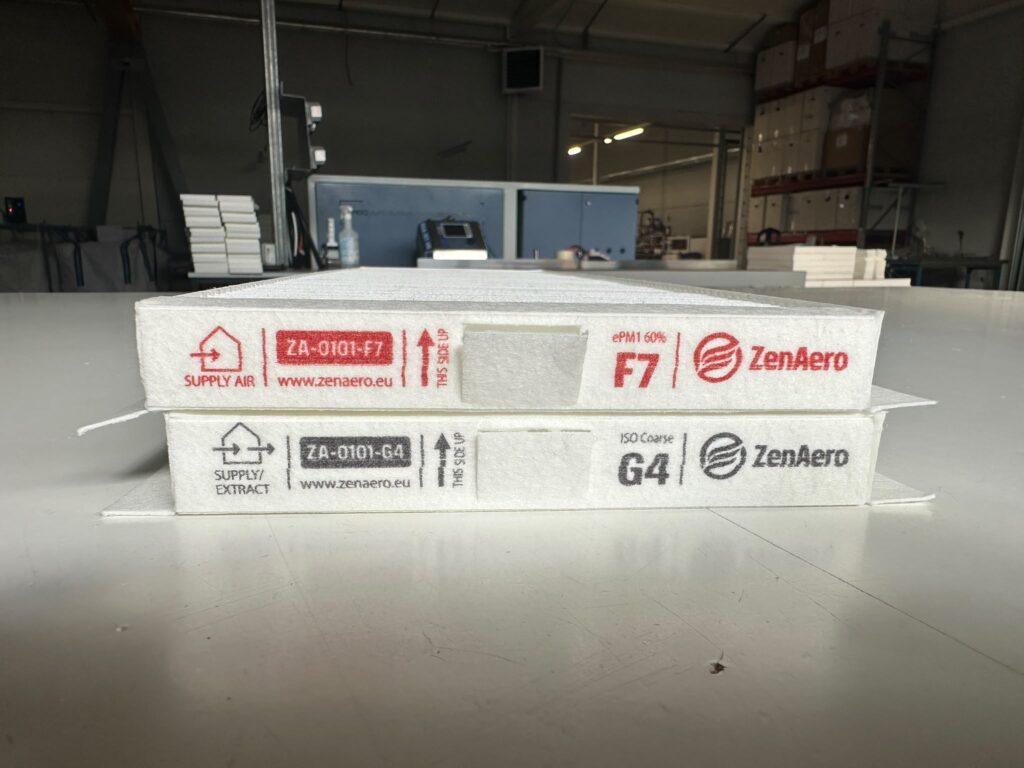
Important in an F7 + G4 set

If the F7 filter is marked Supply Air and the G4 filter is marked Supply / Extract, install F7 on the supply side and G4 on the extract side. A G4 filter that physically fits either slot is not automatically interchangeable with the dedicated F7 supply filter.

2. Check AIRFLOW or THIS SIDE UP

AIRFLOW

The arrow shows the direction in which air should pass through the filter. Install the filter with the arrow pointing in the airflow direction.

On many residential heat-recovery units, air moves from the duct side towards the heat exchanger closer to the centre of the unit. Treat this only as a clue: always check the markings on the unit or the manufacturer’s instructions.

THIS SIDE UP

This is a physical orientation mark, not an airflow arrow. Install the filter with the THIS SIDE UP arrow pointing upwards.

This marking is used on filters for units such as Zehnder ComfoAir Q 350 / 450 / 600 and other configurations that require a specific upright orientation.

When the two filters are different sizes

In many ventilation units, the supply and extract filters have different dimensions or shapes. This makes it relatively difficult to install the wrong filter in the wrong slot, but the printed markings should still be checked before installation.

ZenAero F7 Supply Air filter for bluMartin freeAir 100 with airflow arrowZenAero M5 Extract Air filter for bluMartin freeAir 100 with airflow arrow

bluMartin freeAir 100

  • F7 is marked Supply Air.
  • M5 is marked Extract Air.
  • Both filters include an Airflow arrow.

Follow both pieces of information: use the correct position and install each filter according to its airflow arrow.

View the compatible F7 + M5 set →

When the filters look similar

This is where the markings become especially important. Some ventilation units use filters with very similar or identical external dimensions but different filtration efficiencies. The G4 filter may physically fit either slot, but that does not mean the F7 and G4 filters should be installed interchangeably.

The rule for an F7 + G4 set

F7 → Supply Air
G4 → Extract Air

Other similar-filter examples

The same position rule matters on other F7 + G4 sets where the filters look similar. Existing compatible sets include Salda Smarty 2XP 1.1 / 1.2 and Vaillant recoVAIR VAR 260/4 and 360/4.

How to identify the supply and extract sides

ZenAero filters installed in a heat-recovery ventilation unit
Installed filters with the unit’s own Supply Air, Extract Air and G4 position markings visible.

First check the ventilation unit itself. Manufacturers often mark the filter positions next to the slots using airflow symbols, filter classes, supply / extract symbols, arrows or labels in the service compartment.

If the positions are not clearly marked, check the manufacturer’s manual. The outdoor-air / supply duct is also frequently insulated, which can help identify the supply side, but duct insulation is a clue rather than a replacement for the manufacturer’s instructions.

What happens if F7 and G4 filters are mixed up?

  • Filtration of incoming outdoor air may be reduced.
  • Resistance on the extract-air side may increase.
  • Less effectively filtered air may enter the building.
  • Airflow balance may change.
  • Overall ventilation or heat-recovery performance may be affected.

Filters that physically fit into both slots should not automatically be treated as interchangeable. Always check their markings first.

Before installing a new filter

Check the position: Supply Air, Extract Air or Supply / Extract.
Check the filter class: F7, M5, G4 or another class.
Check the direction marking: AIRFLOW or THIS SIDE UP.
Check the markings next to the filter slot.
If the filters look similar, do not identify them by appearance alone.
Check the ventilation-unit manual if the position or direction is unclear.

If you have an F7 + G4 set where F7 is marked Supply Air and G4 is marked Supply / Extract, install F7 on the supply side and G4 on the extract side.

Frequently asked questions

What does “Supply Air” mean?

The filter is intended for the fresh outdoor-air / supply side of the ventilation unit.

What does “Extract Air” mean?

The filter is intended for air extracted from inside the building.

What does “Supply / Extract” mean?

The filter itself can be used in either a supply or extract position where the ventilation unit or filter configuration requires it. It does not mean that every filter in the set is interchangeable.

My set contains F7 and G4. Which one goes on the supply side?

If the F7 filter is marked Supply Air and the G4 filter is marked Supply / Extract, install F7 on the supply side and G4 on the extract side.

What does the AIRFLOW arrow mean?

The arrow indicates the direction in which air should pass through the filter. Install the filter with the arrow pointing in the direction of airflow.

What does “THIS SIDE UP” mean?

It is an orientation mark, not an airflow arrow. Install the filter with the THIS SIDE UP arrow pointing upwards.

What should I do if the position or direction is unclear?

Stop before using the filter. Check the markings next to the filter slot and the manufacturer’s manual, or contact ZenAero Support with the unit model, a photo of the filter slot and the filter dimensions.

Related guides

Still unsure which filter or position is correct?

Send us the ventilation-unit model, a photo of the filter slot and the filter dimensions.

Contact ZenAero Support →